TUI Copilot Chat in the Terminal | Pieces Docs
Use Copilot in the Pieces TUI—run conversational search, browse responses, and manage chats in an interactive terminal.
Getting Started with TUI Copilot
The TUI Copilot provides a full-featured chat interface directly in your terminal. The interface is divided into three main areas: chat history, conversation window, and quick options.
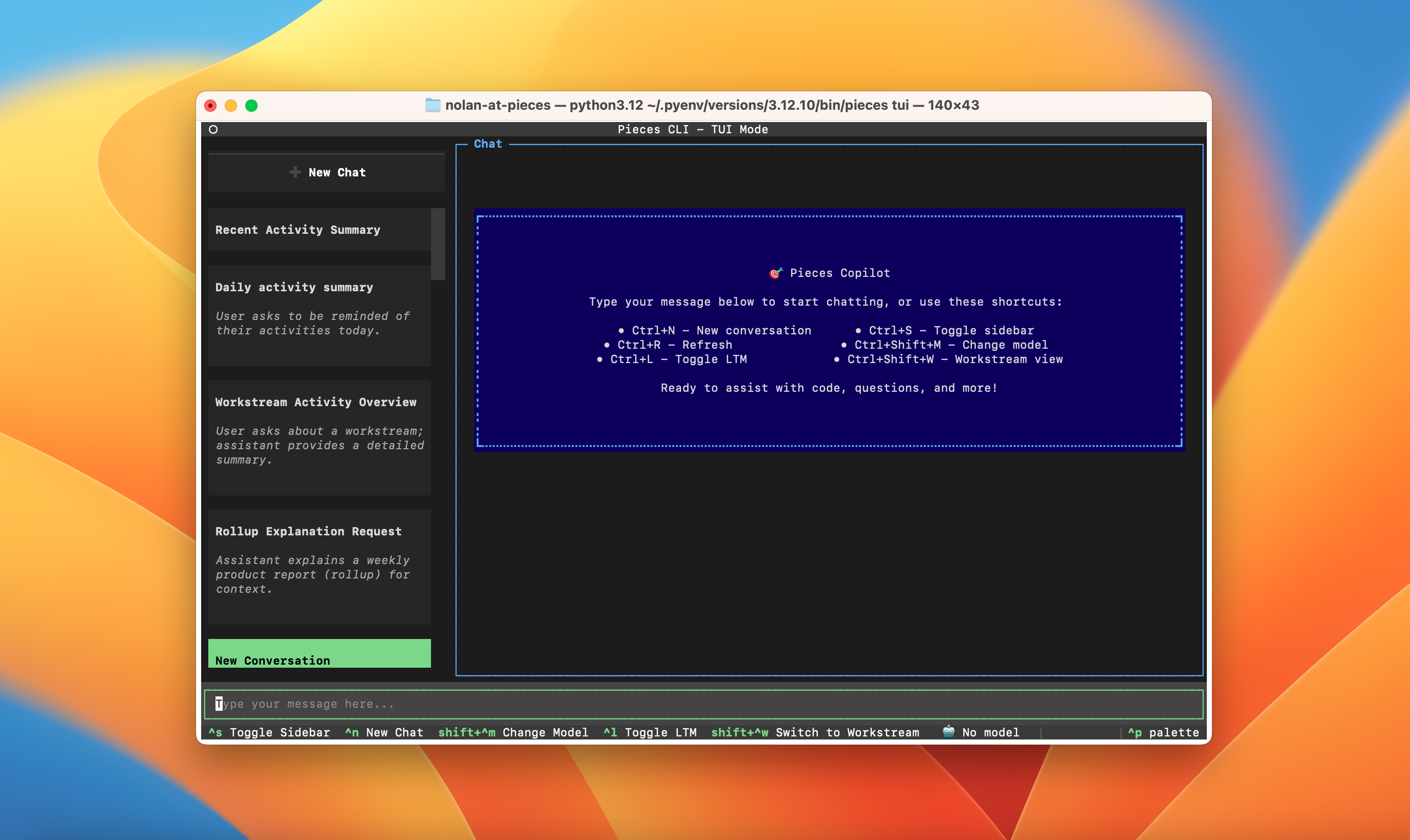
Chat History
Conversation Window
Quick Options
* **`ctrl+s`:** Toggle the sidebar on/off
* **`ctrl+n`:** Start a new chat
* **`shift+ctrl+m`:** Change the AI model
* **`ctrl+l`:** Toggle Long-Term Memory context
* **`shift+ctrl+w`:** Switch to Workstream view
* **`ctrl+p`:** Open the command palette
TUI Copilot As a Daily Driver
The TUI Copilot brings the full power of Conversational Search directly to your terminal, making AI assistance accessible wherever you work.