Pieces Desktop App | Features & Documentation
Boost productivity with the Pieces Desktop App – AI-powered tools that use workflow context to enhance decision-making with generative AI.
Pieces Desktop App logos and branding
Meet the Pieces Desktop App
The Pieces Desktop Application contains a suite of AI-powered tools designed to improve productivity by utilizing your workflow context and enabling you to make intelligent decisions on a day-to-day basis with Pieces Long-Term Memory.
Powered by PiecesOS—the heart and soul of Pieces—the Pieces Desktop app is the ultimate assistant for code, context, and creativity.
Overview
The Pieces Desktop app is designed to act as a hub for the Pieces Suite, powered by PiecesOS and the Long-Term Memory (LTM-2.7) Engine.
With the Pieces Desktop App, you have access to dedicated views for the context captured by Long-Term Memory through Pieces Timeline.
Activity Timeline
A horizontal activity timeline at the bottom of the main view shows your workflow activity across the day (from 12am to 12am). Hover over any point to see a tooltip with more details—including the timestamp, memory count, and LTM status (e.g., ON LTM-2.7, ON LTM Audio) for that moment.
Pieces Timeline
Keep track of your workflow so you can access stored context from yesterday, last week, or even last month—whenever you need it. The Long-Term Memory (LTM-2.7) Engine ensures that nothing slips through the cracks.
Pieces Timeline provides a sleek UI for interacting with saved data from up to 9 months ago in an easily digestible format, allowing you to view timeline events, workstream summaries, single-click summaries, and conversational searches.

Pieces Timeline showing workflow events, summaries, and activity graph visualization
Single-Click Summaries
Generate instant, contextual summaries from your workflow using preset summary types. With Single-Click Summaries, you can instantly generate contextual summaries with one click. Choose from summary types like What's Top of Mind, Standup Update, Custom Summary, Day Recap, AI Habits, and Discover—to quickly access insights about your workflow without typing a single prompt.

Showing Pieces with Timeline open and Single-Click Summaries Generating
Conversational Search
Use Conversational Search as your main chat interface, where you'll find suggested chats to help you get started. Query your workflow memories and get AI-powered insights about your past activities.

Conversational Search interface showing suggested chats and recent chats
Configuration
Customize your Pieces Desktop App through Settings: Account (profile, Personal Cloud, backup, telemetry), Long-Term Memory, MCP, Connectors, Appearance, and Troubleshooting. Choose models from the Conversational Search chat picker; see Models in chat for model families and modes.
Model Context Protocol (MCP) Support
The Pieces suite, powered by the LTM-2.7 Engine through PiecesOS, also provides support for Model Context Protocol (MCP) servers through Server-Sent Events (SSEs).
With the Pieces MCP, you can thread rich workflow context through to Cursor, GitHub Copilot, Goose, and other IDEs and productivity tools, making Pieces a platform for using long-term context in other workflows outside of just the Pieces Desktop App.
You can find the MCP URL inside the Model Context Protocol (MCP) tab within Settings.
Pieces MCP with Cursor
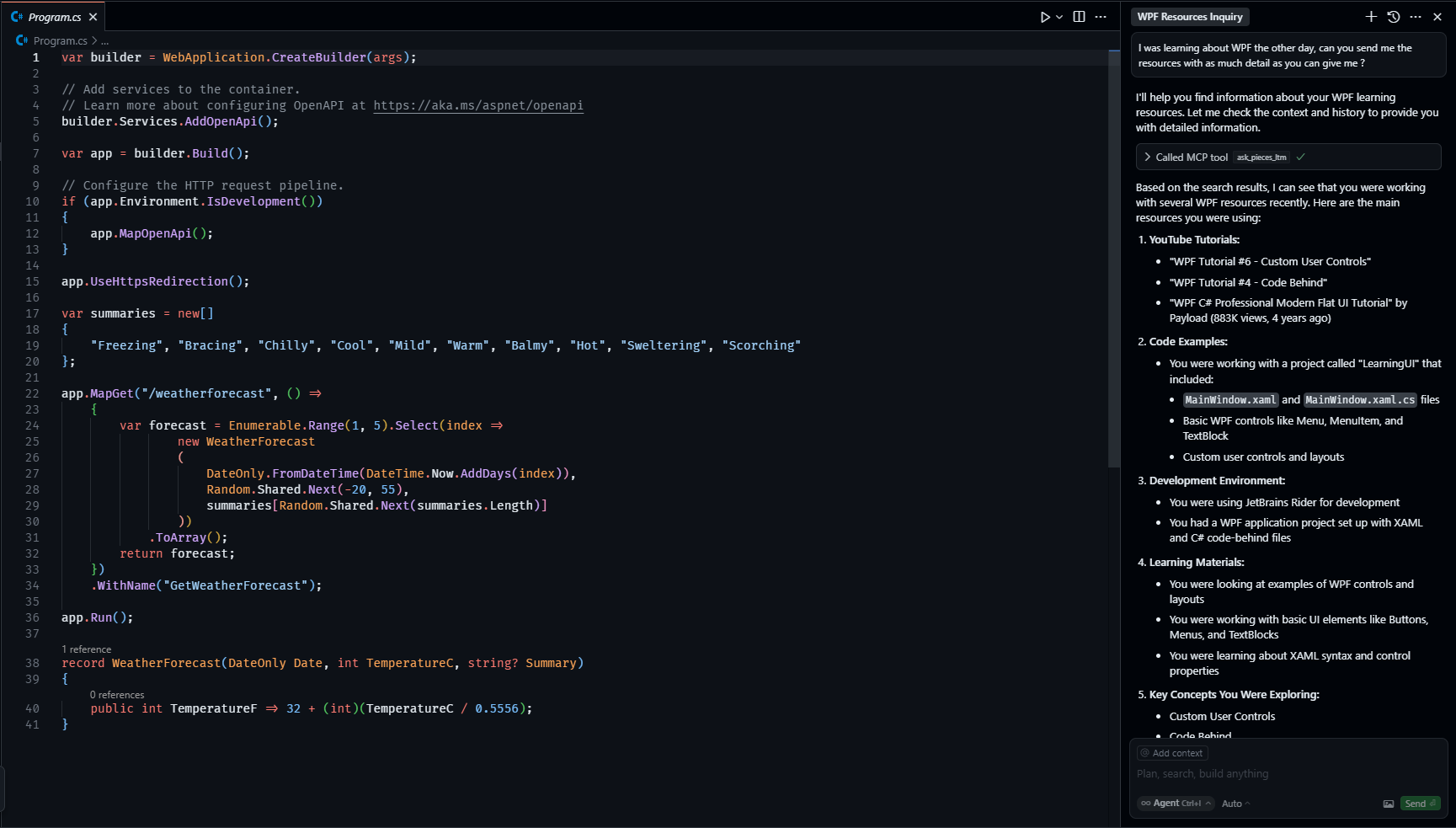
Pieces MCP integration with Cursor showing workflow context threading
If Pieces Desktop isn't what you're looking for, check out PiecesOS to learn about the core engine powering Pieces, or explore MCP integrations to connect Pieces to your favorite IDE or editor.