Pieces Privacy & Security | Your Data
How Pieces keeps your data private—local-first storage, SOC 2 Type II compliance, scoped cloud AI requests, and never training on your data.
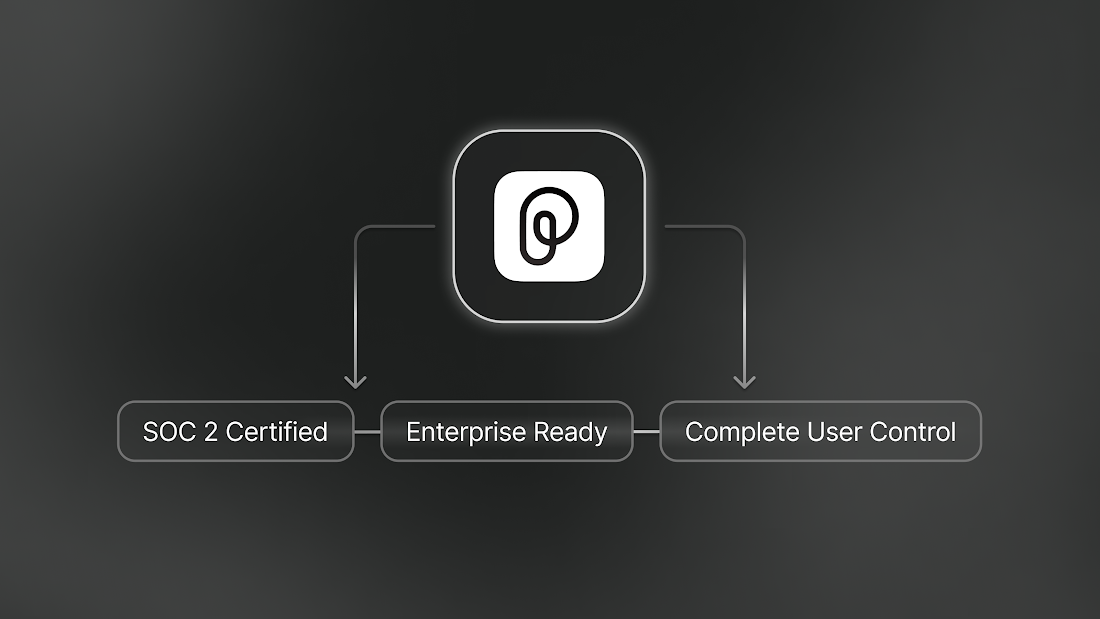
Local-First by Design
Your data stays on your machine. Pieces captures and stores your code, chats, and long-term memory context locally on your device—there is no continuous sync and no bulk upload to our cloud.
AI features that need a large language model (like chat) run in the cloud by default. When you use one, only a scoped, per-request slice of context is sent to the model—the rest of your data never leaves your machine. Telemetry is clearly marked, and you keep granular control over everything you share.
Where Your Data Lives
All Pieces data is stored in a single folder on your device—easy to back up, copy, move between machines, or delete entirely.
Pieces stores data in com.pieces.os (PiecesOS: LTM, engine data, logs) and, on macOS and Windows, com.pieces.pfd (Desktop App settings and logs). You can copy these folders to OneDrive, a USB drive, or another machine without using cloud backup.
**Desktop App:**
```plaintext
/Users/<username>/Library/com.pieces.pfd/
```
**Desktop App:**
```plaintext
C:\Users\<username>\AppData\Local\Mesh Intelligent Technologies, Inc\Pieces for Developers\com.pieces.pfd\
```
Security Architecture
Pieces keeps your data on your device and limits what reaches the network.
Capture, indexing, and storage run on-device, your data is isolated per user, and AI features send only the context required for a single request.
- On-device processing — code analysis, language detection, secret detection, and tag generation run on your machine.
- Scoped cloud requests — when you use an AI feature, only the relevant context for that request is sent to a model.
- Isolated user data — each developer's data is stored in its own micro-database, preventing cross-contamination.
- Decentralized by default — no centralized server holds your data, so there's no single point of failure.
What Runs On-Device vs. Cloud
Pieces captures and stores your data on-device. AI features that need a large language model run in the cloud.
| Capability | On-Device | Cloud |
|---|---|---|
| Data capture & indexing | ✅ | — |
| Long-Term Memory storage | ✅ | — |
| Code analysis | ✅ | — |
| Language detection | ✅ | — |
| Secret detection | ✅ | — |
| Tag & metadata generation | ✅ | — |
| Conversational chat / LLM querying | — | ✅ |
| AI enrichment (cloud LLMs) | — | ✅ |
| Backup & restore (user-initiated) | — | ✅ |
Your memory data stays on your local disk. When you use chat or another AI feature, the request runs in the cloud and only the relevant, scoped context is sent for that request. Cloud backup and restore happen only when you start them.
Long-Term Memory Security
The Long-Term Memory (LTM-2.7) Engine is the most context-aware part of Pieces, and your memory data stays on your local disk.
- Local storage — captured context is stored on your device, not in a central cloud.
- Scoped enrichment — when you use an AI feature, only the minimum relevant context is sent to cloud LLMs for that request; the rest of your memory stays local.
- No bulk upload — Pieces never continuously syncs or uploads your memory. Data leaves only as scoped, per-request context when you actively use an AI feature.
Privacy Controls
You have full control over what Pieces collects, stores, and sends—no dark patterns, no mandatory telemetry.
Every Pieces product exposes settings for data sharing, cloud connectivity, and telemetry so you can match the tool to your team's policies.
- AI processing runs in the cloud — data is sent only as scoped, per-request context when you use an AI feature, never in bulk.
- User-initiated actions stay in your control — backup and restore run only when you start them.
- Telemetry is anonymous and opt-out — clearly marked, never tied to your code.
- Granular settings per product — PiecesOS, the Desktop App, and each integration expose their own privacy controls.
Data Ownership & Model Training
Your data is never used to train any model at Pieces.
Our nanomodels are trained on synthetic datasets generated using non-user-derived Oracle models. This lets Pieces improve performance without inspecting, storing, or training on real user inputs or behaviors.
This applies to all product components, including Long-Term Memory, Copilot interactions, context injection, and metadata generation.
Cloud Access & Data Transfer
When you use a cloud feature—such as LLM querying or backup and restore—Pieces sends only the minimum required, contextually relevant data.
- Scoped to your prompt — data sent to cloud models (for example, Claude or ChatGPT) is pre-filtered and limited to your immediate prompt. Pieces does not transmit unrelated memory or history.
- No bulk export — Pieces never sends full memory logs or raw content archives to any third-party service.
- Encrypted, temporary backups — backup and restore, when you start them, zip and encrypt your local database and transmit it for temporary storage. There is no persistent cloud sync or continuous upload.
When you enable cloud features, each user gets isolated infrastructure rather than a shared pool, which suits enterprise environments where tenancy and data segregation matter.
- Per-user cloud instance — your cloud environment is dedicated to your account, not shared.
- Unique subdomain per user — further isolates your data from other tenants.
- Independent scaling — performance scales with your usage without affecting other users.
- Data isolation — even in cloud mode, your data is segregated from every other user's.
Compliance & Certifications
Pieces meets the standards required by enterprise security teams, with regular audits and enterprise-grade authentication.
Privacy Policy & Questions
Our full privacy policy covers the details not addressed here. Reach out if you have specific concerns or need documentation for a security review.
- Read our Privacy Policy
- Book a call with our team
- Open a GitHub issue or join our Discord
Next Steps
Dig deeper into how Pieces stores your data and what runs locally.