Install Pieces on Windows | Complete Setup Guide
Get started with Pieces on Windows – install via AppInstaller, EXE, or WinGet, then configure and optimize your setup for AI-powered development.
Install Pieces for Windows
Choose your installation method below. AppInstaller is recommended for most users.
Requirements
- Windows 10 (1809) or higher
- 64-bit processor

Updating
Pieces automatically downloads and installs updates. When you check for updates from either the Desktop App or the PiecesOS Quick Menu, both apps update together.
From the Desktop App
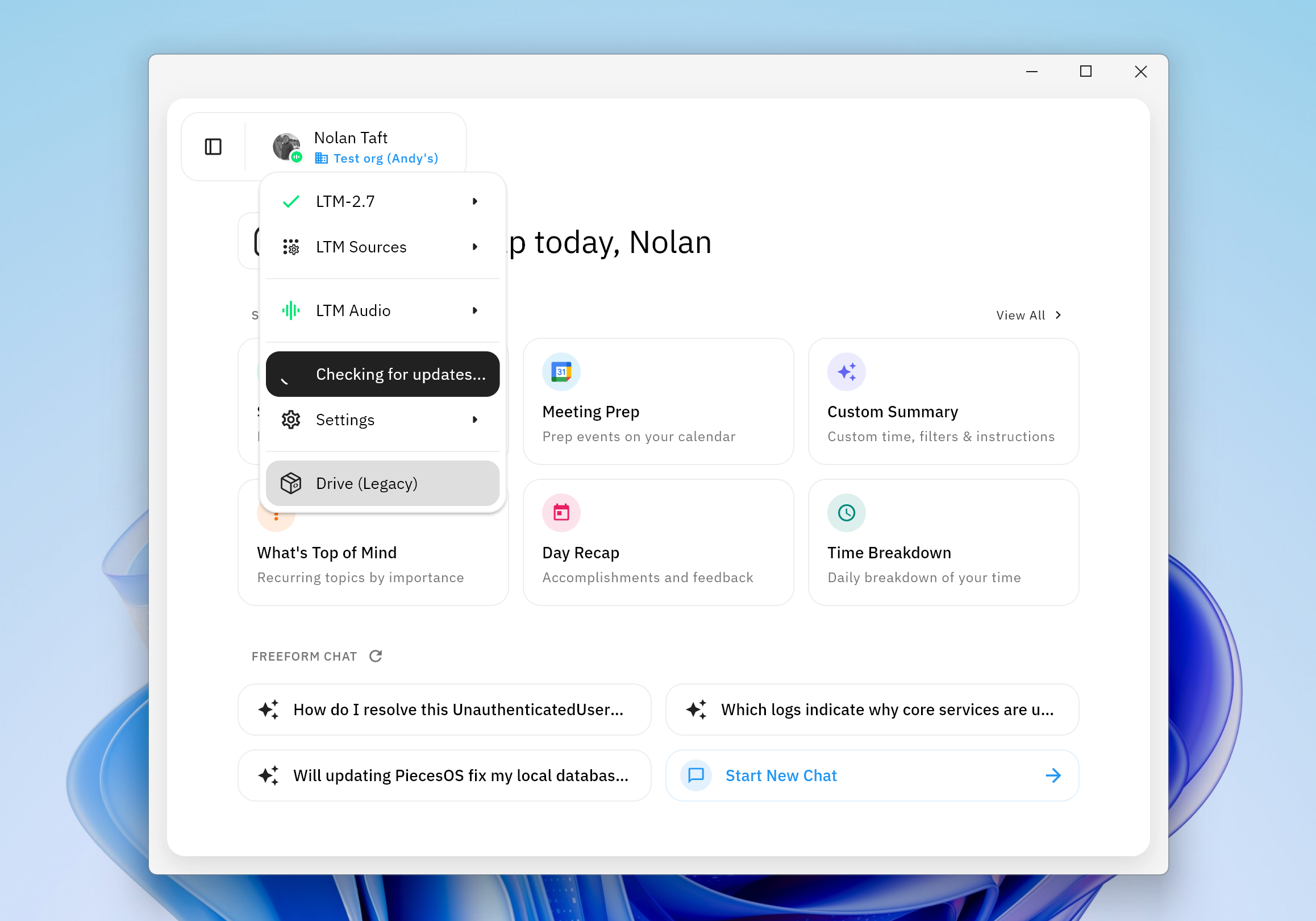
Profile menu in the Pieces Desktop App with
Check for Updates
From the PiecesOS Quick Menu
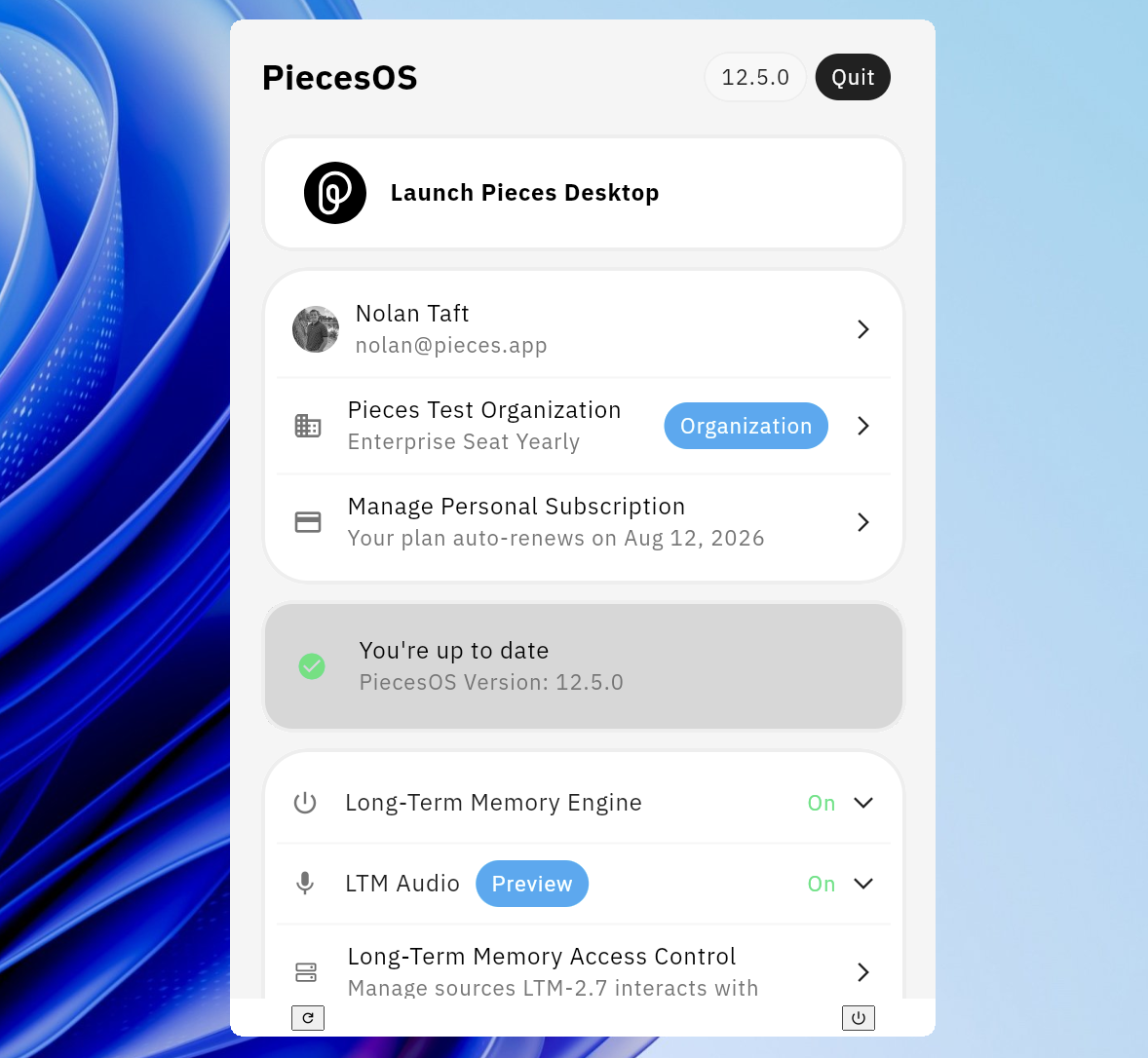
PiecesOS Quick Menu showing your current version and update status
Uninstalling
Open Settings, then find Apps and search Pieces.
Two applications will appear—Pieces Desktop and PiecesOS. Click the three dots to the right of each application title and click Uninstall.

Additional Resources
See the Windows troubleshooting guide or reach out to support for help.